Graphics/3D · EngineeringFeb – Mar 2026
Mini Maya.
A mesh editor built from pointers up — half-edge topology, live editing, and Catmull–Clark subdivision in C++ and OpenGL.
University repository — private per course policy. Happy to walk through the code directly.
Overview
Mini Maya is a mesh editor in the mould of Autodesk Maya or Blender: load an OBJ, click any vertex, edge or face, edit it, and subdivide the whole surface into something smooth. It was built over two assignments for Penn's CIS 4600 — the first laid down the data structure and the renderer, the second added the editing operations and Catmull–Clark subdivision.
The interesting part is not the UI. It is that the mesh is not stored the way a renderer wants it. A GPU wants a flat array of vertices and an index buffer; that is enough to draw triangles and useless for anything else. Ask an index buffer which faces touch this vertex, or which face is on the other side of this edge, and it has no answer — you would have to scan the whole buffer. Every operation in this editor depends on being able to answer exactly those questions.
The editor
Why a half-edge graph
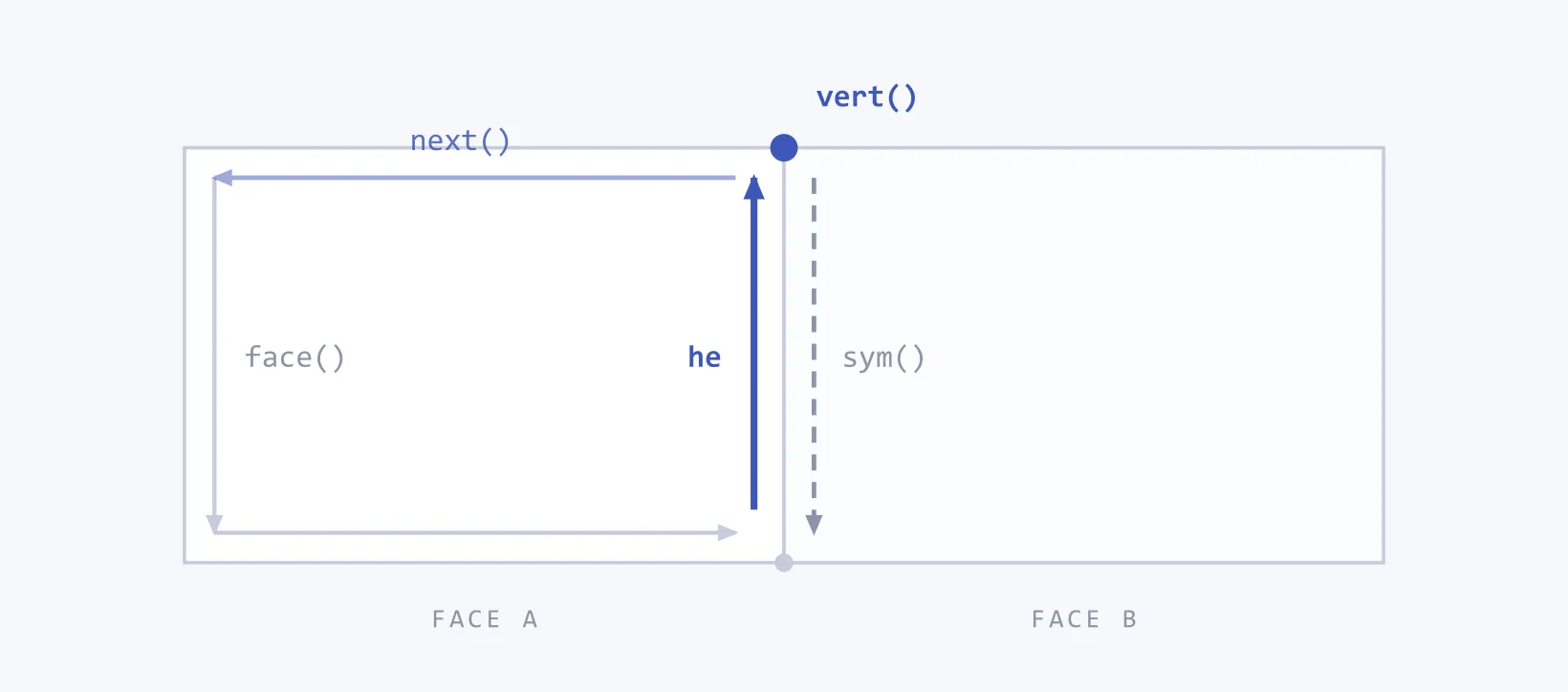
The half-edge structure splits every edge into two directed halves, one belonging to each of the two faces that share it. That sounds like bookkeeping and it is, but it buys a property that matters: from any half-edge, every neighbour is one pointer away. Walking a face is a loop over next; crossing into the neighbouring face is a single sym. Neither cost depends on how big the mesh is.
Each half-edge stores four pointers, and those four are enough to reconstruct the entire neighbourhood of anything you can click on.
class HalfEdge : public QListWidgetItem {
private:
    static int s_nextId;   // shared counter for unique ids
    int    m_id;
    HalfEdge* mp_next;     // next half-edge in this face's loop
    HalfEdge* mp_sym;      // the opposite half-edge, in the adjacent face
    Face*     mp_face;     // the face this half-edge lies on
    Vertex*   mp_vert;     // the vertex between this half-edge and mp_next
    ...
};
Vertex and Face are symmetric — each keeps a position or colour, a unique id, and a pointer to one half-edge that touches it. All three inherit QListWidgetItem, so the mesh IS the GUI list: selecting a row selects the component.
Making the invisible clickable
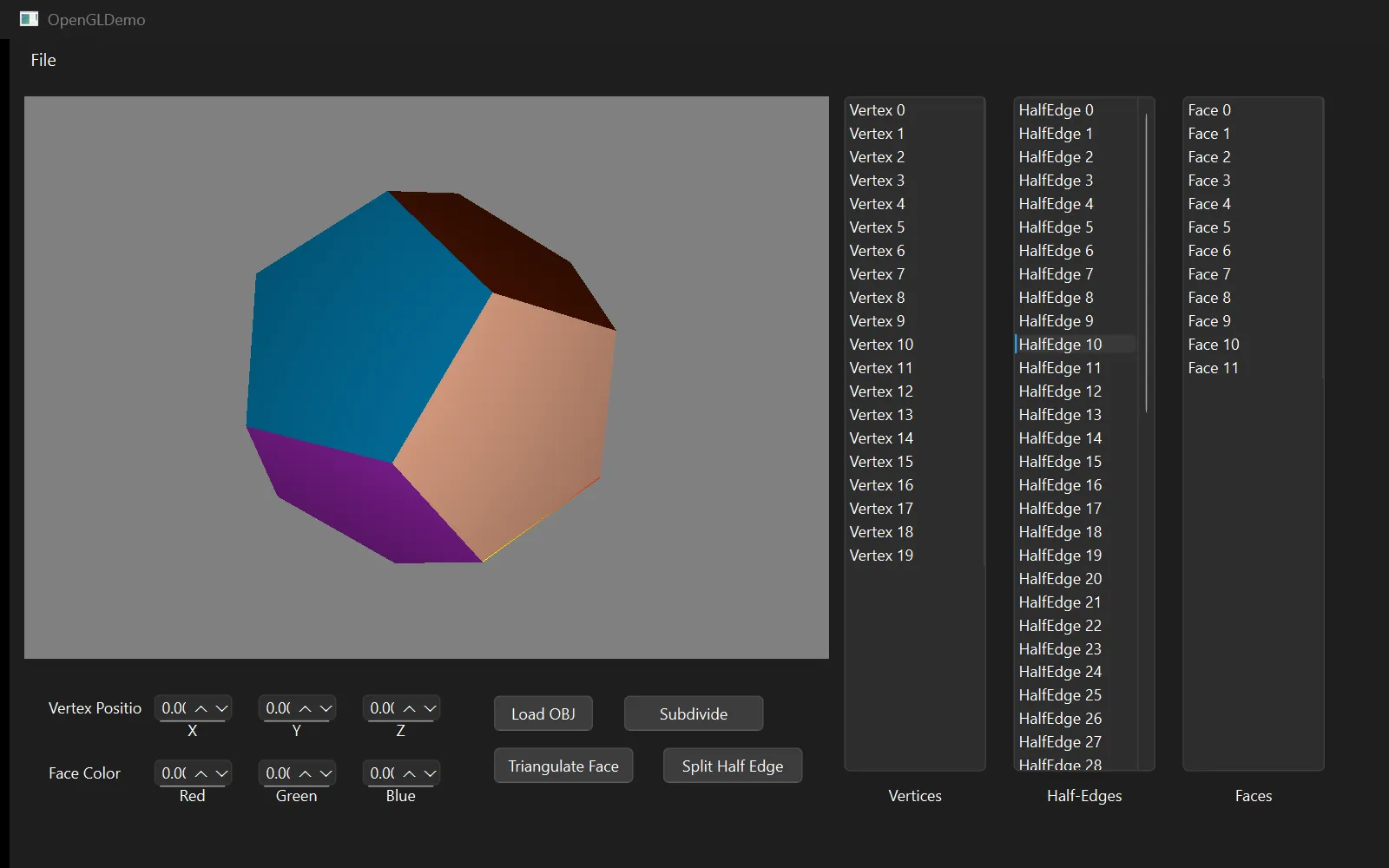
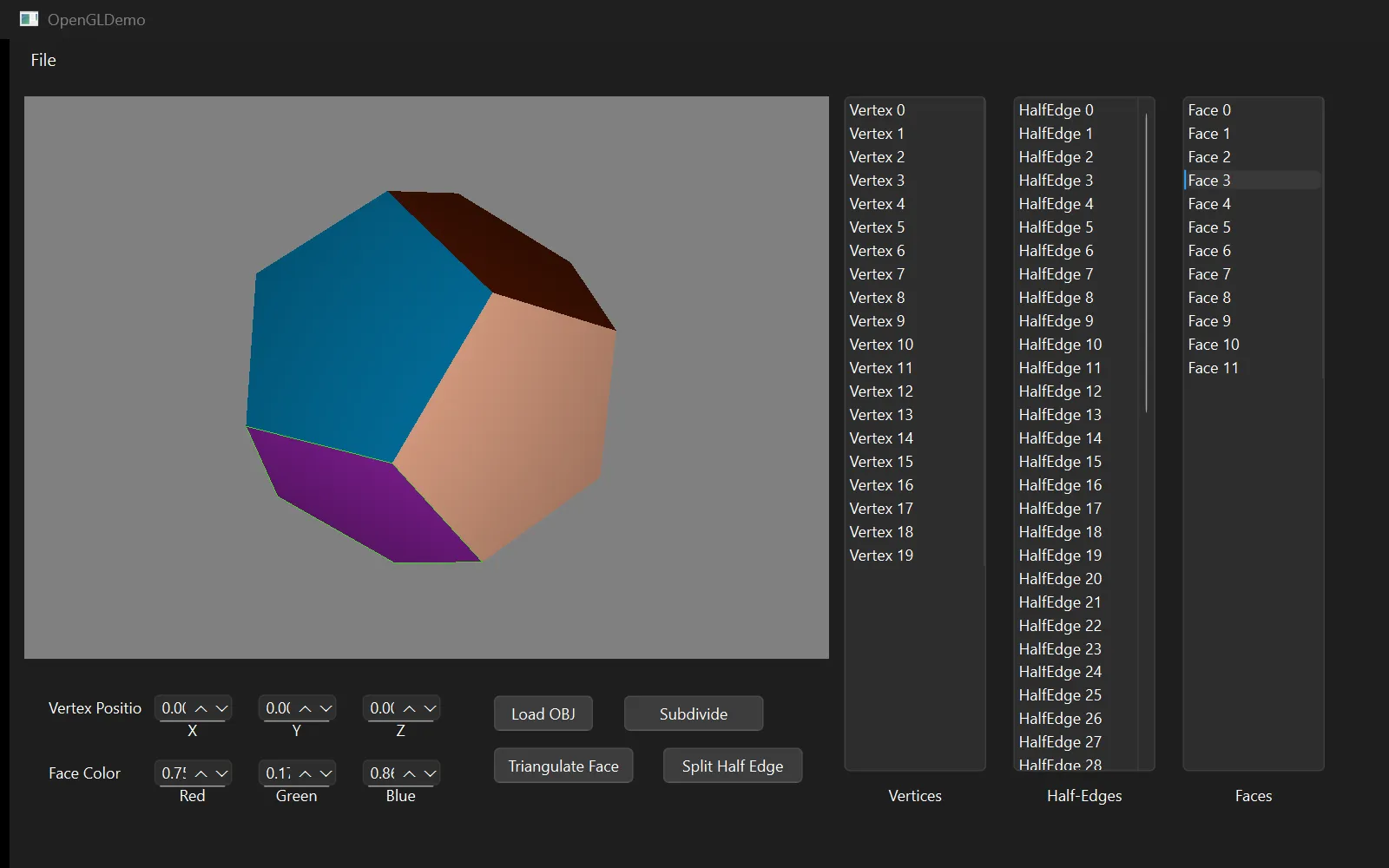
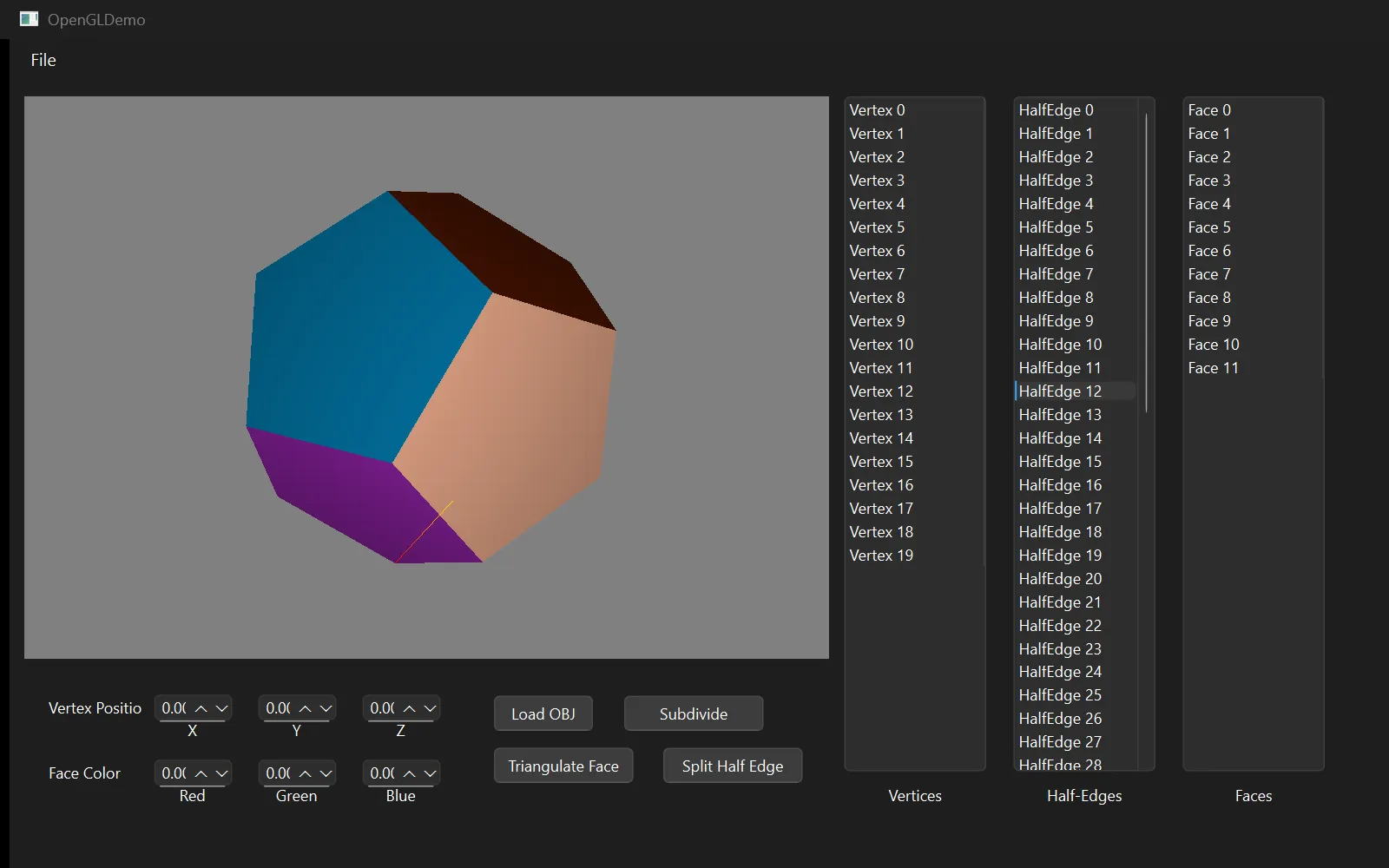
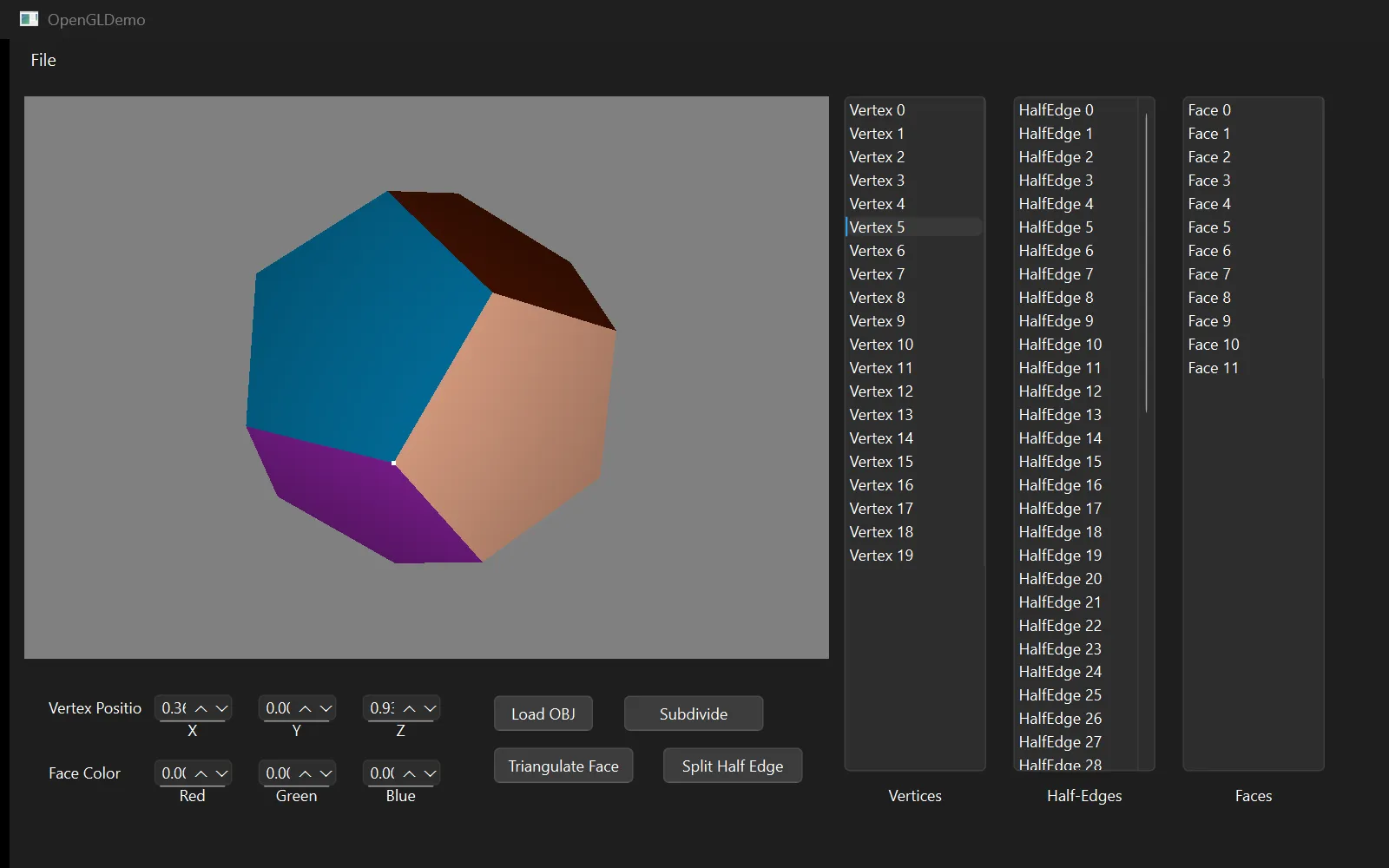
A pointer graph is hard to debug because you cannot see it. So the editor draws it: the selected vertex, half-edge or face renders on top of the mesh with depth testing switched off, so it is visible even through geometry, and the keyboard walks the graph directly.
This turned out to be the most useful thing in the project. Every topology bug I hit — a sym pointer left dangling, a next loop that never closed — was found by selecting a component and pressing keys until the highlight went somewhere it should not have.
Traversal keys
- N — move to this half-edge's next, walking around the face
- M — jump to its sym, crossing into the adjacent face
- F — select the face this half-edge lies on
- V — select the vertex it points to
- H — from a selected vertex, jump to one of its half-edges
- Shift+H — from a selected face, jump to one of its half-edges
Traversal and debugging
Editing topology, not just geometry
Moving a vertex is easy — it is one position. Changing what the mesh is made of is the harder problem, because every operation has to leave the pointer graph consistent or everything downstream breaks.
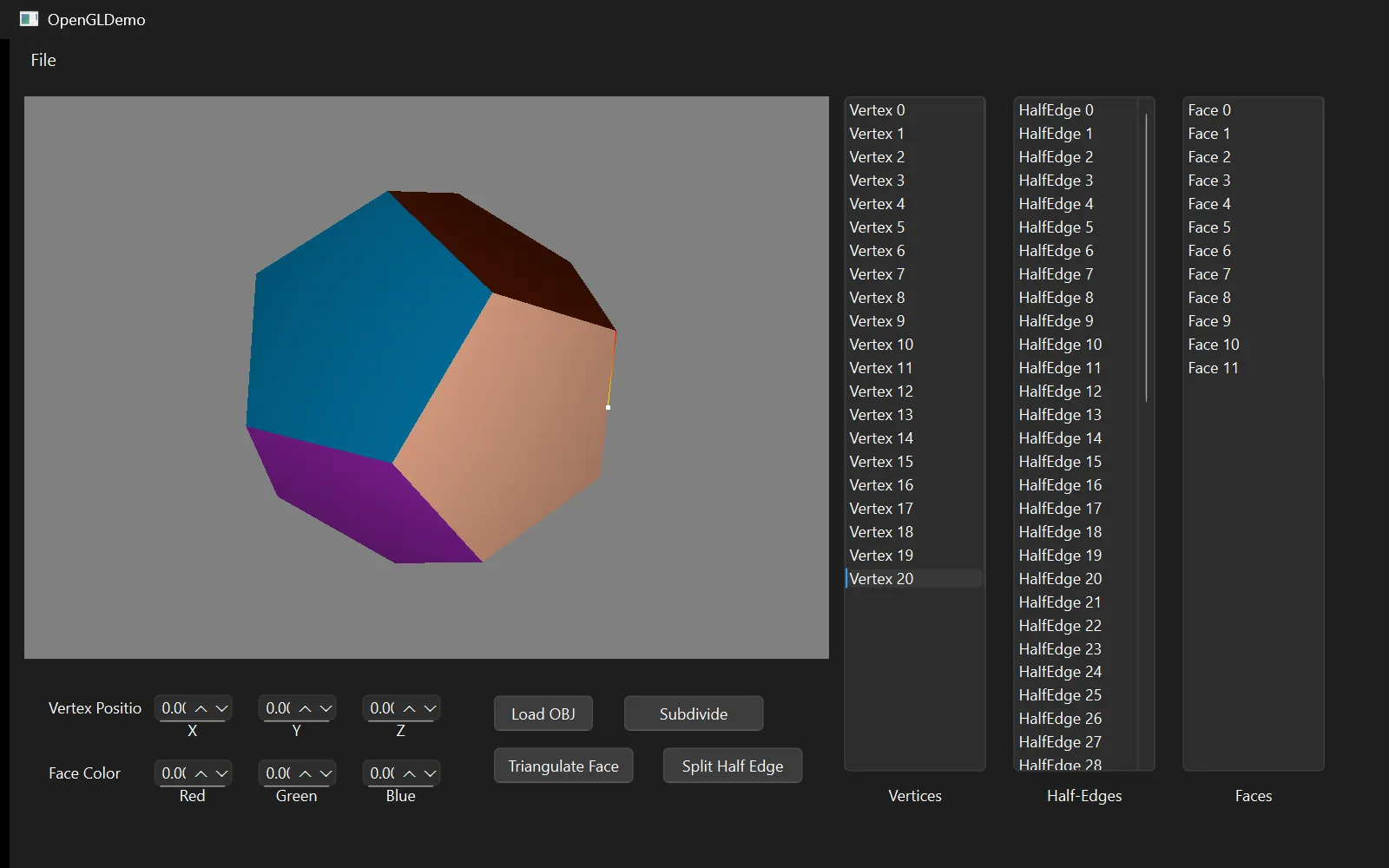
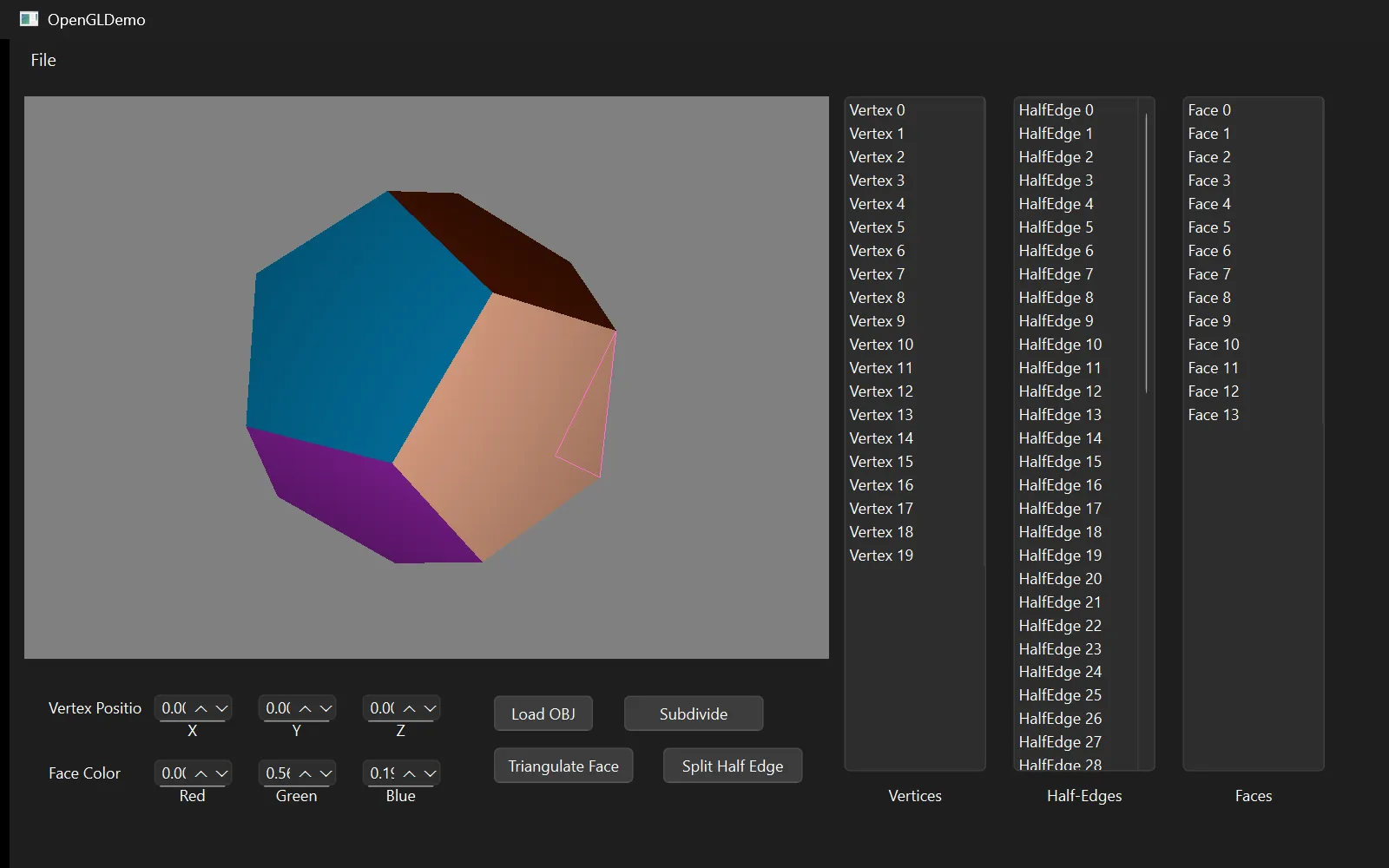
Splitting an edge inserts a midpoint vertex and has to create two new half-edges, rewire four next pointers and re-pair two syms. Triangulating a face fans it into triangles, each of which needs its own face record and its own closed loop of half-edges. Both were written so the mesh is never left half-updated: the new components are built first, then linked in.
Topology operations
Catmull–Clark subdivision
Subdivision is where the data structure pays for itself. Catmull–Clark smooths a mesh by replacing every face with a grid of smaller quads, and every step of it is a neighbourhood query — exactly what the half-edge graph makes cheap.
It runs in four passes. Each face gets a centroid. Each edge gets a point averaged from its two endpoints and the two centroids beside it. Each original vertex is pulled inward toward its neighbours. Then every face is quadrangulated: one new quad per original corner, stitched to the centroid and the two adjacent edge points.
One detail decides whether the second pass works at all. Every edge is two half-edges, so walking the mesh visits each edge twice — and computing an edge point twice means placing two vertices where there should be one, which tears the surface along every seam. The fix is to key the pass on the edge rather than the half-edge: order the two endpoints consistently, and both halves hash to the same entry, so the second visit finds the point already computed.
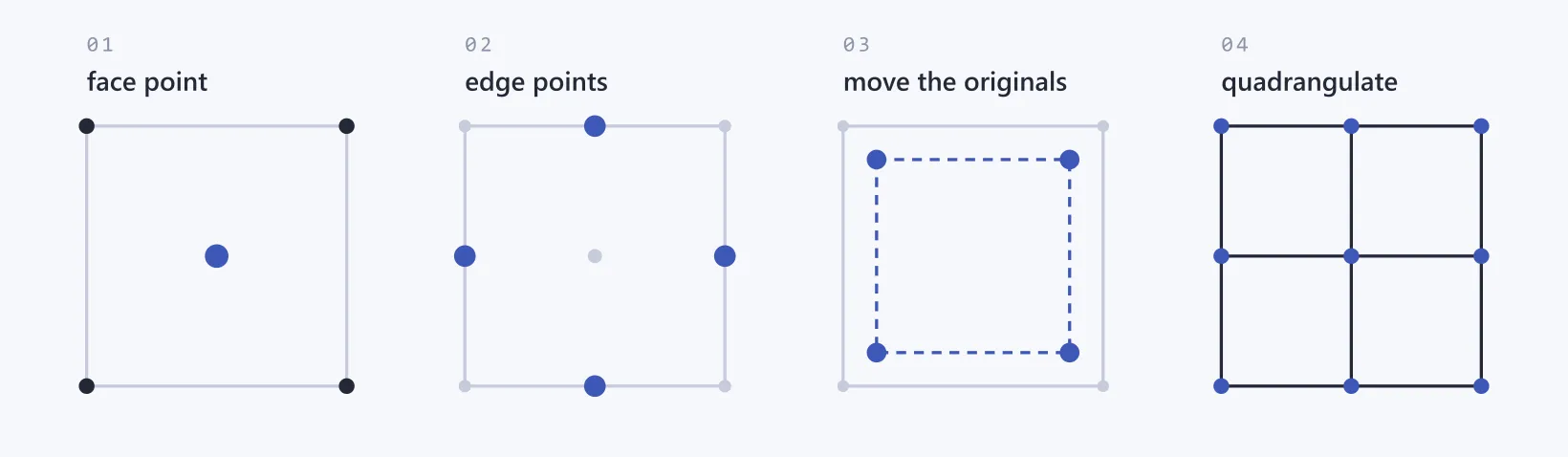
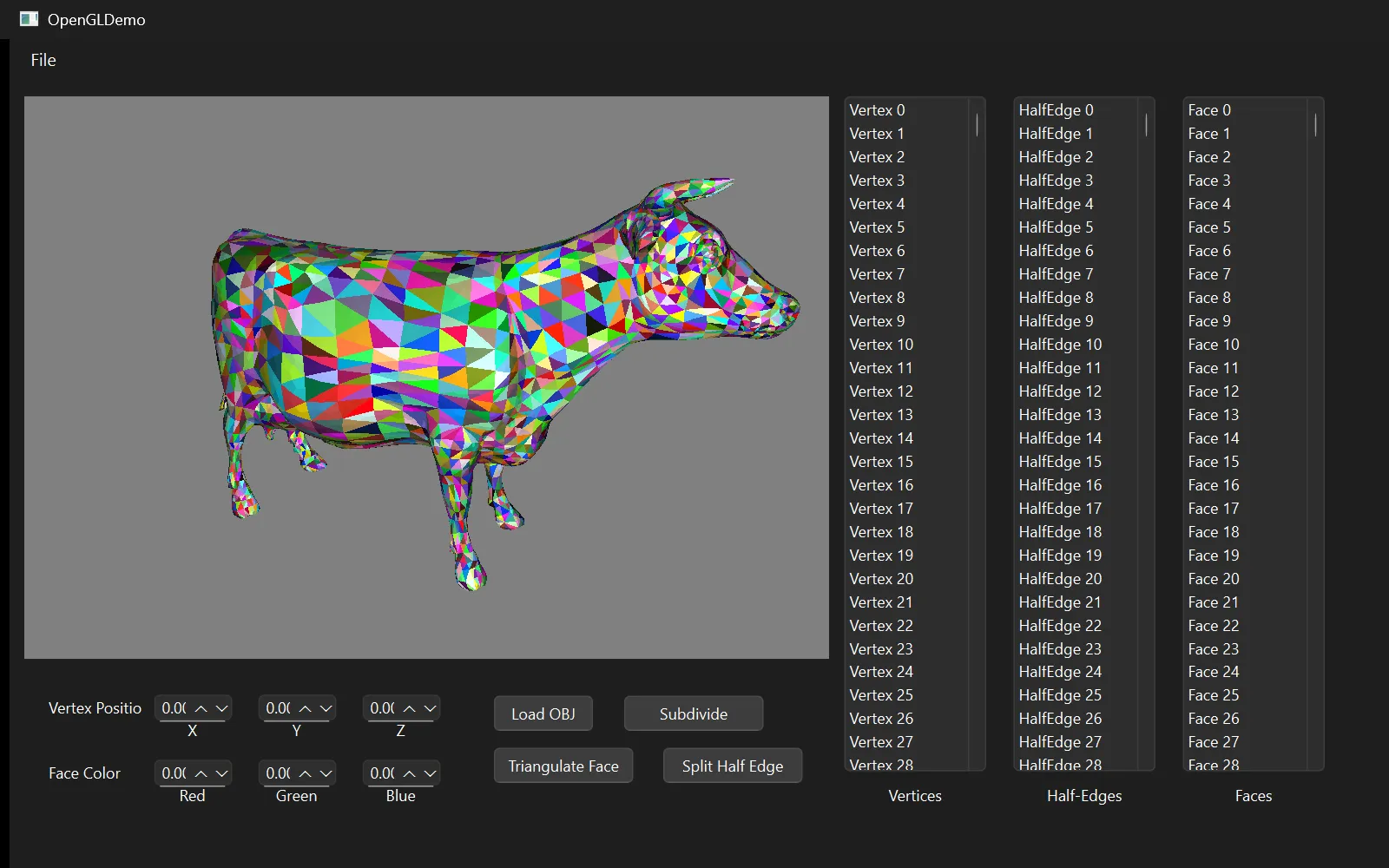
The mesh grows fast — a cube goes from 8 vertices and 6 faces to 26 and 24 after one round, then 98 and 96 after two, and the assignment's benchmark was subdividing a cow model in under ten seconds. Because the vertex, edge and face passes each read the mesh before any of them writes to it, the new positions are computed into hash maps keyed on the original components and only applied once the whole mesh is rebuilt. Smoothing in place would feed half-updated positions into the next vertex's average.
Subdivision
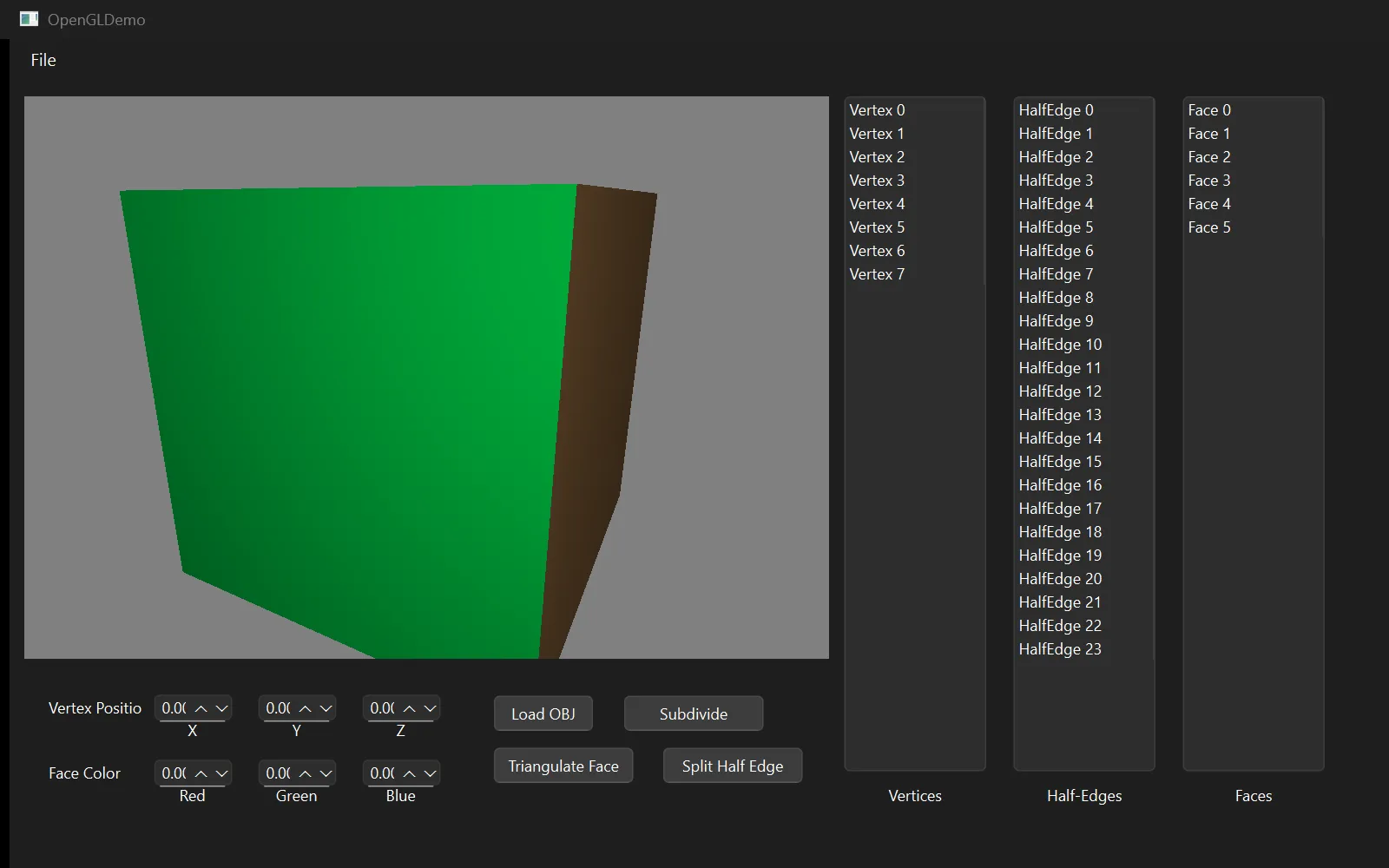
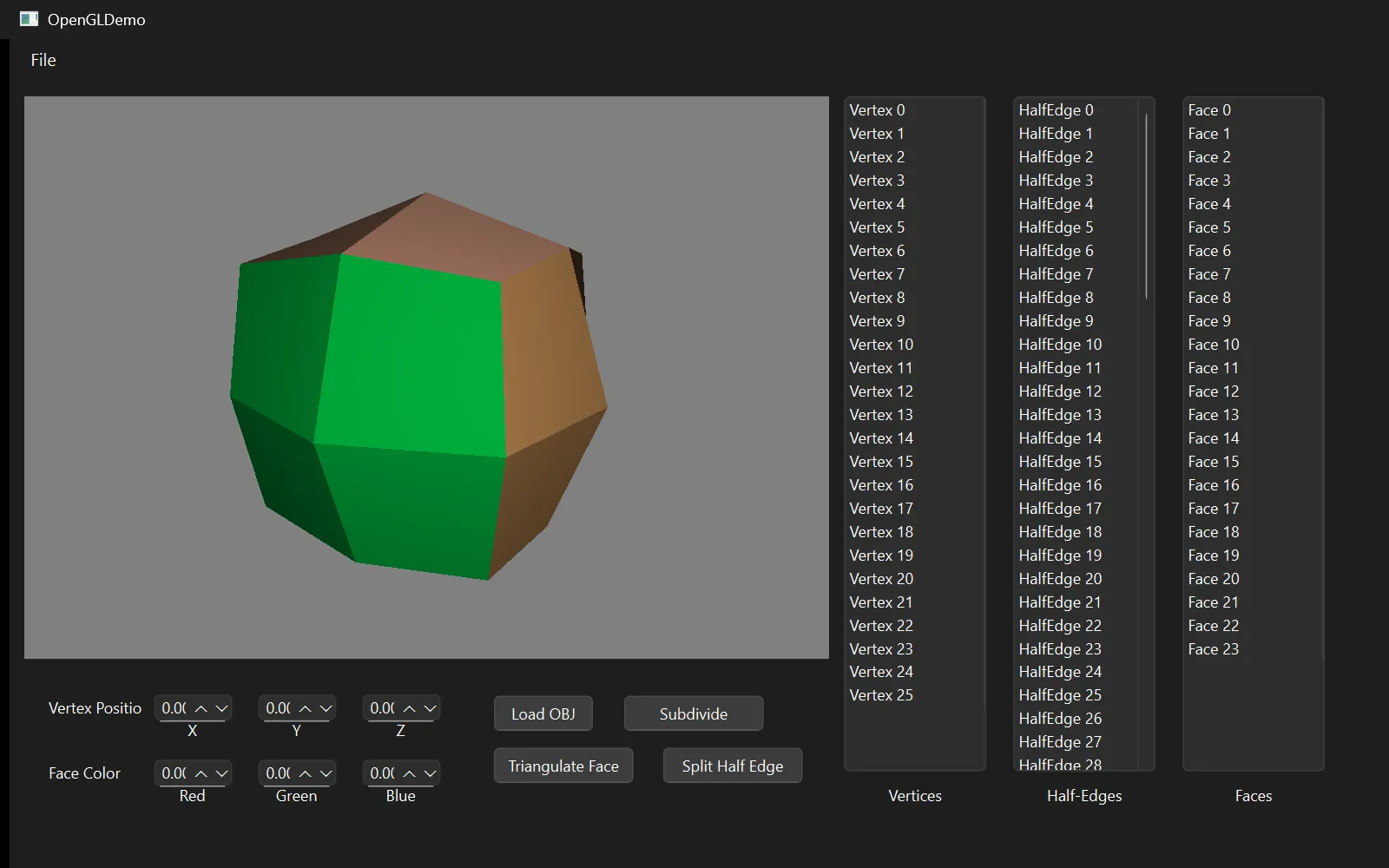
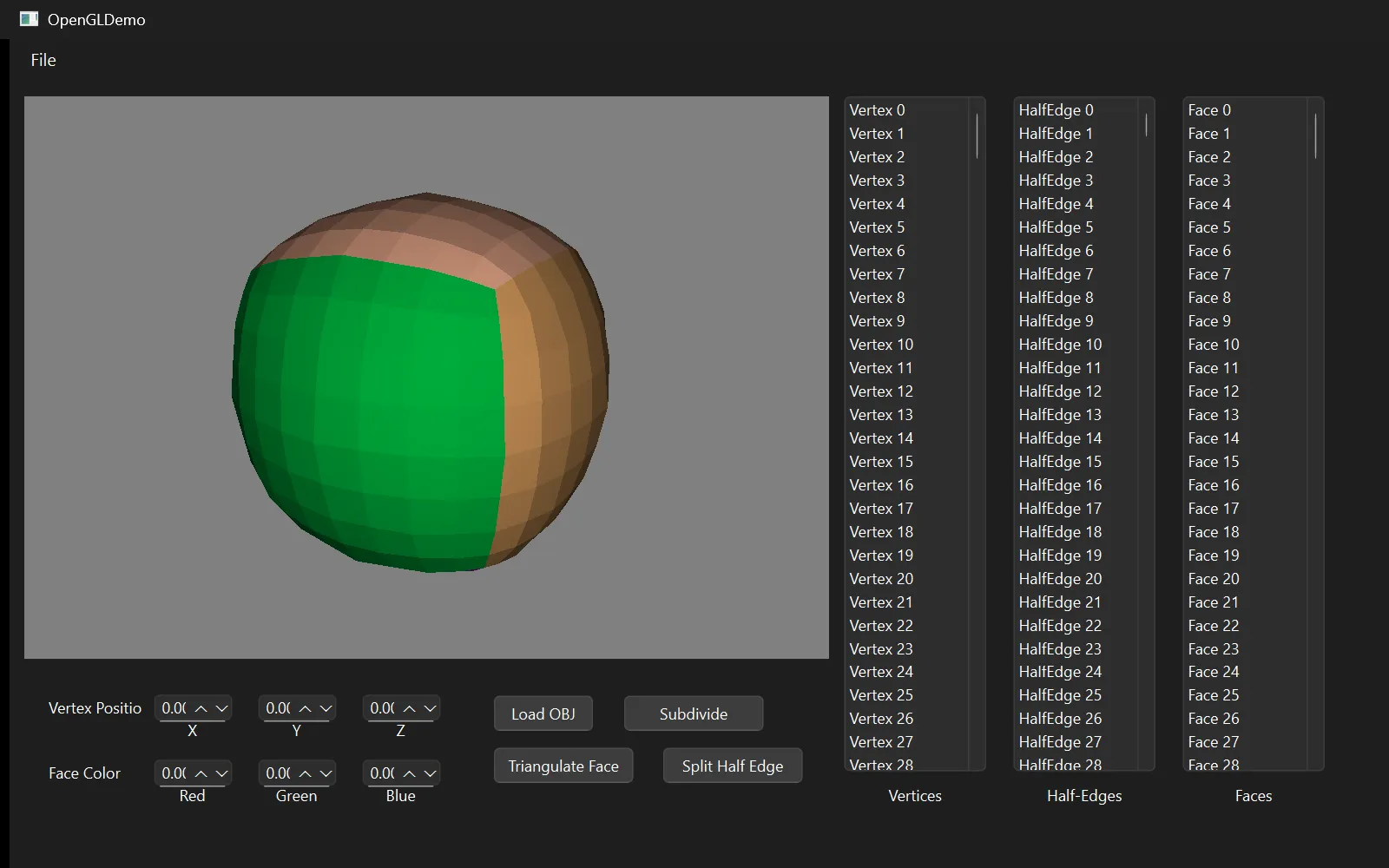
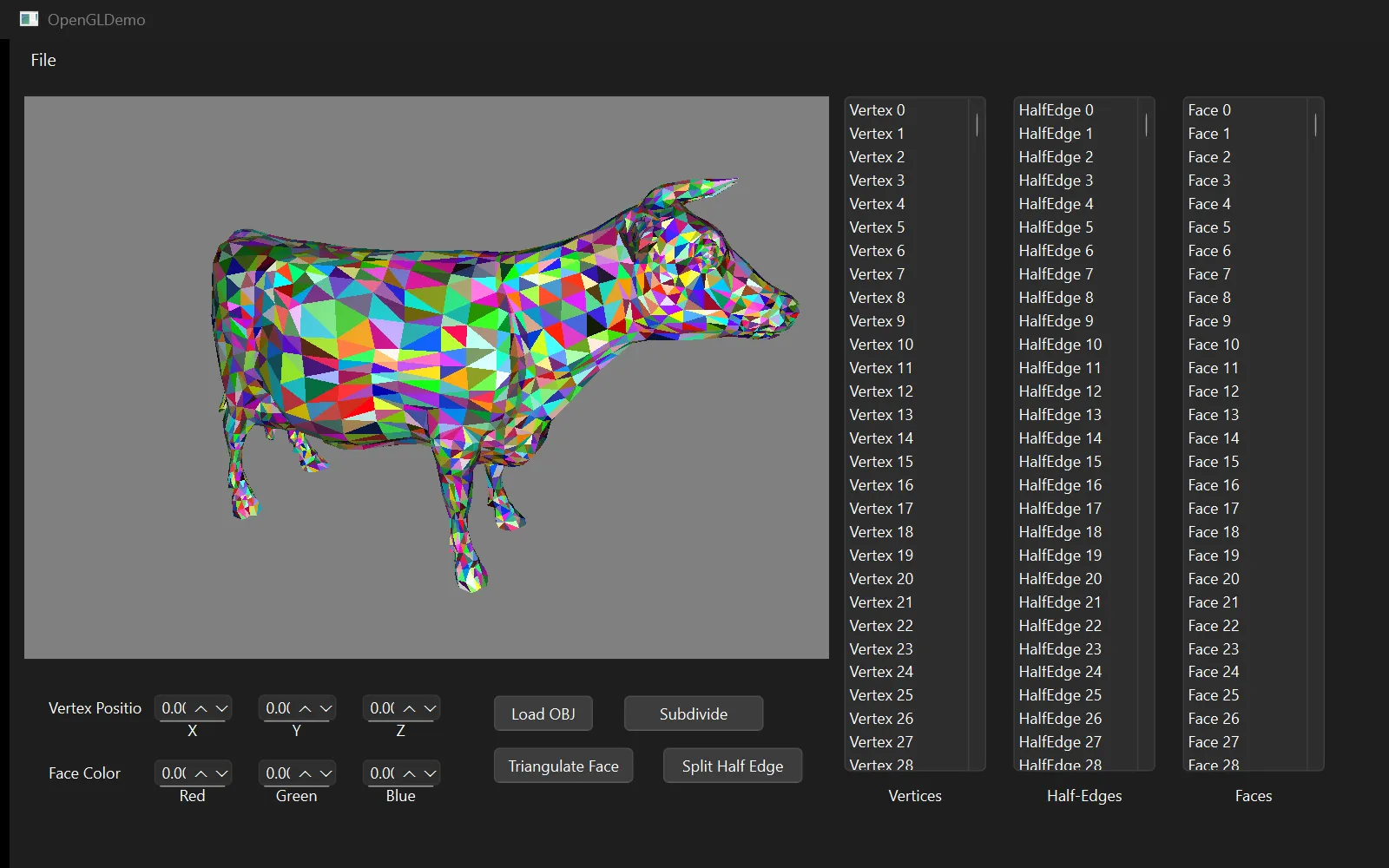
On a real model
What I would change
The components are raw interlinked pointers held alive by vectors of unique_ptr, which is the shape the assignment asks for and the shape that makes the traversal read clearly. It also means a wrong rewire is a dangling pointer rather than a caught error. If I built this again I would put an index-based handle in front of the pointers — the traversal reads the same, but a stale handle is checkable and a stale pointer is a crash.
There is one place where the implementation does not honour the data structure it is built on. Collecting the half-edges around a vertex scans every half-edge in the mesh and keeps the ones pointing at it — O(E) for a question the structure can answer in O(valence) by spinning he->next->sym until you return to the start. It is called once per vertex inside the subdivision pass, which makes that pass O(V·E) when it should be linear. On a cube nobody notices; on the cow model in the assignment's ten-second benchmark, it is the whole cost. Writing the spin is a dozen lines and I would do it before anything else on this list.
The renderer also rebuilds and re-uploads the entire vertex buffer after every edit, because each face duplicates its vertices to keep per-face colour and flat normals. That is fine at homework scale and wrong at any other: a real editor would upload only the touched range.
Note
Coursework for CIS 4600 (Interactive Computer Graphics) at Penn, taught by Adam Mally. The repository is private under course policy — I am glad to walk through the half-edge implementation or the subdivision code directly.
By the numbers